
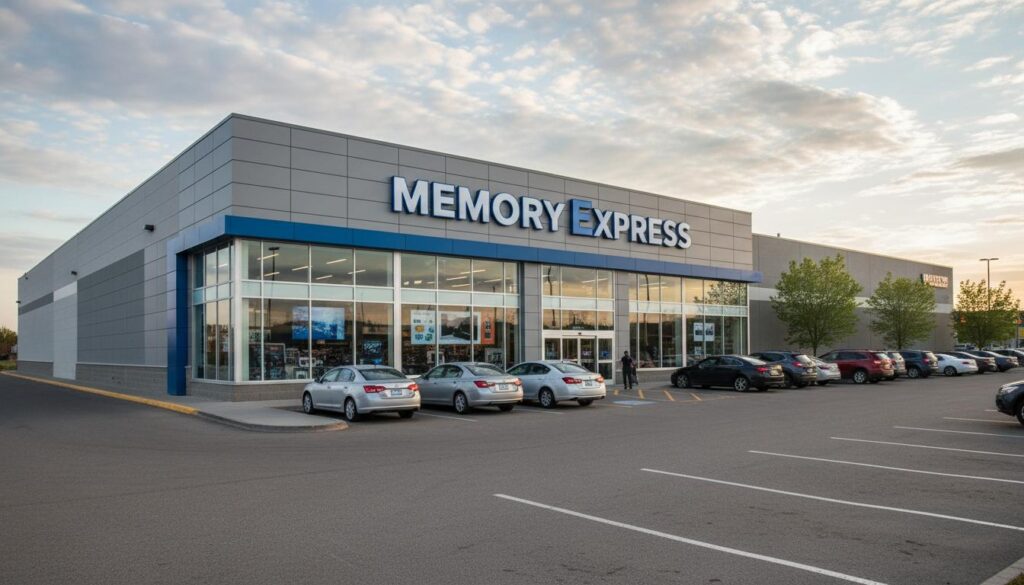
If you live in Canada and you care about building a smooth, fast, and reliable computer without wasting money, you’ve probably heard of Memory Express. Maybe you’ve walked past one of their Western Canadian stores and wondered if their prices beat the big e-commerce players. Maybe you’ve been eyeing a new GPU and trying to decide whether to click “Buy Now” online or reserve for in‑store pickup. This guide dives deep into how Memory Express fits into Canada’s PC hardware scene and how to shop smarter—whether you’re assembling a gaming rig in Calgary, upgrading a workstation in Winnipeg, or sending out a laptop for repair in Vancouver.
We’ll cover how to compare prices properly in a Canadian context (taxes, shipping, exchange rate gotchas), what services are typically available, how to navigate returns and warranties across provinces, and the details that separate a headache from a happy build. You’ll find practical tips, clear checklists, and Canada-specific examples throughout. By the end, you’ll know exactly how to use Memory Express to your advantage—online or in-store.
What Memory Express Is—and Why Canadians Keep Going Back
Memory Express is a Canadian computer hardware and electronics retailer known for a strong presence in Western Canada and an online store that ships nationwide. They focus heavily on PC components, gaming systems, monitors, networking gear, storage, and accessories. If you’re the kind of person who wants to see a case before buying it, swap fans on the spot, or talk through a part list with someone who actually builds PCs, the in‑store experience is a major draw.
For many customers, Memory Express sits in a sweet spot: large enough to carry wide inventory and run frequent promotions, yet local enough to deliver fast in‑store pickup, staff who know their stuff, and repairs you can actually talk through at a counter. That combination is especially attractive in cities across Alberta, British Columbia, Saskatchewan, and Manitoba, where in‑person service can mean the difference between a week of troubleshooting and a same-day fix.
Don’t live near a store? The online platform is designed for Canadian realities: shipping carriers you recognize, tax calculated correctly by province, and stock shown per location. You can time purchases around Canadian holidays and sales cycles—Boxing Week, back‑to‑school, spring clearance—without worrying about USD conversions or unexpected customs paperwork.
How Memory Express Fits Into Canada’s PC Retail Landscape
Canadians shopping for PC parts juggle several options: specialized retailers like Memory Express, national big-box stores, and large e‑commerce marketplaces. Each has real strengths. Knowing when to choose which saves time and money.
Specialized PC retailers vs. big-box stores vs. pure online marketplaces
- Specialized retailers (e.g., Memory Express) often carry deeper selections of motherboards, cases, power supplies, and enthusiast gear. Staff are typically PC builders themselves. You’ll find services like assembly, diagnostics, and data migration.
- Big-box chains (e.g., general electronics retailers) are convenient and sometimes offer aggressive door-crashers on mainstream items. But selection for niche parts can be thin, and hands-on tech help varies by location.
- Online marketplaces (e.g., large e‑commerce platforms) can be excellent for accessories and simple purchases shipped direct. The trade‑offs: third‑party sellers, variable warranty support, and returns that can be slower or more complicated for high-ticket hardware.
Memory Express tends to shine when you want confidence in compatibility, immediate support if a part arrives DOA, and the option to hold stock at a store. If you’re comparing prices across Canada Computers, Newegg Canada, Amazon.ca, and big-box chains, bring the final checkout numbers side by side—before tax and after shipping—then consider service and turnaround times.
At-a-glance comparison
| Retailer Type | Strengths | When It’s Your Best Bet |
|---|---|---|
| Specialized PC retailer (e.g., Memory Express) | Enthusiast-grade selection, in‑store pickup, knowledgeable staff, services (builds, diagnostics), local warranties/RMA help | You want guaranteed compatibility, quick exchanges, same‑day pickup, or expert advice for a custom build |
| Big-box electronics store | Frequent flyers, broad consumer categories, convenient locations | You’re buying a mainstream laptop, monitor, or printer and there’s a great sale nearby |
| Online-only marketplace | Wide availability, fast shipping on popular SKUs, easy price browsing | You know exactly what you want and returns/warranty handling aren’t a concern |
Pricing, Sales Cycles, and Genuine Ways to Save at Memory Express
Canadians get tripped up by pricing details all the time. A $10 difference between two stores can flip after you factor in taxes, shipping, or an open‑box discount. Here’s how to build a quick, accurate comparison—and how to leverage the ways Memory Express commonly helps you save.
Build a real apples-to-apples comparison
- Confirm the exact model and part number. GPUs and SSDs often have multiple SKUs that look identical but differ in clocks, cooling, or endurance.
- Compare pre‑tax prices, then add the right provincial taxes for your shipping or pickup location:
- AB: 5% GST
- BC: 5% GST + 7% PST
- SK: 5% GST + 6% PST
- MB: 5% GST + 7% RST
- ON: 13% HST
- QC: 5% GST + 9.975% QST
- Atlantic provinces: HST (varies by province, commonly 15%)
- Include shipping, insurance, and any surcharges for remote or P.O. Box deliveries. Carriers in Canada can add extra for rural routes and northern addresses.
- Count bundle promos or rebates you’ll realistically claim. If a rebate requires mailing a form within 30 days, will you do it?
- Factor your time and risk. If an item arrives DOA, how quickly can you exchange it? Can you drive to a local Memory Express instead of mailing it back?
Common ways to save at specialized retailers like Memory Express
- Weekly and seasonal flyers: Watch newsletters around back‑to‑school, Black Friday, and Boxing Week. The best component deals in Canada often appear during these windows.
- Open‑box and refurbished sections: Inspect condition notes carefully. Confirm whether the full manufacturer warranty still applies and whether accessories are included.
- Bundles: CPU + motherboard, or SSD + cloning kit, can be cheaper together. Verify the individual SKUs are the ones you actually want.
- Price matching or price‑beat policies: Many Canadian computer stores offer to match a competitor’s price or beat it by a portion of the difference. Policies vary and have rules (in‑stock, identical model, same region). Check the current terms on the retailer’s site before you plan around it.
- Loyalty and financing promos: Some stores partner with financing providers that run limited‑time interest promos. Read the fine print and calculate the total cost, not just the monthly payment.
Tip: If a GPU is sold out online but shows stock at a specific Memory Express store, call ahead and reserve for pickup. During hot release cycles, that phone call can be the difference between paying MSRP and paying a reseller premium somewhere else.
In‑Store vs. Online: Inventory, Pickup, and Shipping Across Canada
Buying locally at Memory Express can mean getting a working PC the same day. Buying online can make more sense if you live far from a store or you prefer delivery. The trick is knowing how stock, shipping, and taxes interact in Canada.
Checking stock and planning pickup
Most specialized retailers show per‑store inventory. If you’re driving for a specific part—say, a certain LGA1700 motherboard—reserve it first. Same‑day pickup is often available when the item is in stock at that location. Bring government-issued ID and the payment card you used online; retailers frequently require both for security.
Need a quick swap? If a component fails during initial setup, in‑store exchanges can save days compared to shipping an RMA. Keep that original packaging pristine for at least a couple of weeks.
Shipping times and carriers in a Canadian context
- Major urban centres in AB/BC/SK/MB typically see delivery within a few business days. Weather, holidays, and carrier volume can add a day or two—especially during Boxing Week and major GPU launches.
- Remote and northern addresses may face longer timelines and surcharges. Consider shipping to a workplace or a carrier access point if that’s easier for signature-on-delivery.
- Condo deliveries: Use delivery notes. Some carriers won’t leave high‑value packages at the door. Plan to be home or select pickup at a nearby outlet.
Pro tip: If you’re building a full PC, try to align deliveries so all parts arrive within the same week. That makes it much easier to test everything within a retailer’s DOA window.
Services You Can Use: Assembly, Repairs, Diagnostics, and Business Support
Beyond selling parts, Memory Express and similar Canadian retailers often offer services that can save you time and protect your investment. Availability and pricing can vary by location, so confirm with your local store.
Custom PC assembly and testing
If you don’t want to build from scratch, you can usually hand over your parts list (or buy a recommended configuration) and have a technician assemble and test it. That test typically includes installing the CPU cooler correctly, applying thermal paste, seating RAM, mounting storage, managing cables, updating BIOS/UEFI when needed, and ensuring clean POST. Ask for a copy of any test report, and confirm details like Windows installation, driver setup, and stress testing before you pay.
Upgrades, diagnostics, and data services
- Laptop upgrades: SSD swaps and RAM upgrades are common. Ask whether they’ll clone your data, how long it takes, and how they protect your privacy. In Canada, service providers must follow PIPEDA principles for handling customer information. Expect to sign a work order with terms covering data handling.
- Diagnostics: If your system randomly reboots, it might be power delivery, thermals, or memory instability. A bench diagnostic can be faster than troubleshooting at home without spare parts.
- Data recovery: Many stores facilitate recovery through approved partners. Costs jump quickly; always ask for a written quote and understand success is not guaranteed.
Accounts for business, education, and public sector
Small businesses and schools buying from Memory Express often benefit from dedicated account reps, quotes for bulk orders, and standardized configurations. If you’re PST‑exempt as a reseller in provinces like BC, SK, or MB, ensure your exemption documentation is on file before purchasing. Alberta purchases have no provincial sales tax, but GST still applies.
Building or Upgrading a PC Through Memory Express: A Step‑By‑Step Playbook
Whether you buy parts online or in-store, these steps help Canadians avoid compatibility headaches and needless returns. Use them as a pre‑flight checklist before you tap your card.
Step 1: Define the job—and the monitor
Everything revolves around your workload and display. A 1080p 144 Hz esports setup leans toward high‑clock CPUs and strong single‑thread performance, while 4K content creation cares about cores, VRAM, and fast scratch storage. Before you pick a GPU, pick your resolution, refresh rate, and panel type (IPS for colour, VA for contrast, OLED for deep blacks). Memory Express typically stocks a wide range of monitors; bring your target specs and budget, then compare in person if you can.
Step 2: Choose the platform (CPU and motherboard)
Platform choice dictates motherboard features, RAM support, and upgrade paths. Aim for:
- Chipset that matches your needs (PCIe lanes for NVMe, number of USB ports, overclocking support if you’ll use it)
- BIOS version that supports your CPU out of the box, or verify the store can update it for you
- Sensible I/O (2.5 GbE if you have NAS aspirations, Wi‑Fi 6/6E if you’re cutting cables)
Ask staff to confirm CPU compatibility for the exact board revision you’re buying. If you’re pairing a newer CPU with an older-stock motherboard, a quick BIOS update can prevent a dead-on-arrival scare.
Step 3: Match your memory (RAM) to your motherboard
It’s ironic, but the retailer named Memory Express often fields questions about RAM instability. Avoid it by:
- Checking the motherboard’s QVL (qualified vendor list) for validated RAM kits at your target speed and capacity
- Buying a single kit rather than mixing two later (identical model numbers can still differ internally between production runs)
- Enabling XMP/EXPO after first boot to run at the advertised speed
For creators and heavy multitaskers, 32 GB is a sweet spot; 64 GB if you live in After Effects or large Lightroom catalogs. Gamers targeting 1440p/4K benefit more from GPU upgrades than pushing RAM clocks to the moon.
Step 4: Pick the right storage
In Canada, NVMe SSD prices have been friendly lately. Take advantage:
- Use a fast 1–2 TB NVMe SSD as your boot and primary apps drive
- Add a larger SATA SSD or HDD for bulk storage (games, raw footage, backups)
- Consider endurance ratings (TBW) if you do frequent writes, like editing 4K video
- Confirm the motherboard’s M.2 slots share lanes with SATA ports—some boards disable a SATA port when a certain M.2 slot is used
Ask the store for an M.2 heatsink if your drive or board lacks one. Thermal throttling can sap performance under sustained loads.
Step 5: GPU choice, Canadian reality edition
Watch real-game benchmarks at your target resolution and settings. In Canada, street prices can diverge from MSRP, and availability swings happen after launches and holiday sales. Practical steps:
- If two GPUs trade blows by 5% but one is $80 cheaper in your province after tax, buy the cheaper one
- Size matters: confirm length and cooler thickness vs. your case’s clearance
- Power connectors: make sure your PSU has the correct native connectors (or quality adapters) and sufficient wattage
Step 6: Power supply and case
Pick a PSU with headroom and a reputable efficiency certification. For modern GPUs and multi‑NVMe setups, aim for quality units with strong 12 V rails and good transient handling. Ask Memory Express staff to recommend options known to play nicely with your GPU family. For cases, airflow trumps glass. Bring a tape measure if you’re unsure about radiator or GPU fits.
Step 7: Cooling, fans, and little parts that matter
- Budget for 2–3 quality PWM case fans if your case is bare-bones
- Thermal paste: a small tube of a trusted brand is cheap insurance
- Fan splitters or hubs: avoid overloading a single header—check your motherboard manual
- Display cables: buy the spec you need—DisplayPort 1.4 or HDMI 2.1—not just the cheapest cable
Step 8: Operating system and drivers
If Memory Express is assembling the system, clarify whether they’ll install Windows and activate it, install chipset/GPU drivers, and update firmware. If you’re doing it yourself, create a bootable USB beforehand and download drivers onto a second USB drive. Keep a copy of your Windows license and your motherboard’s LAN driver handy in case Wi‑Fi drivers aren’t present out of the box.
Canada-Specific Buying Details That Save Headaches
Being in Canada introduces a few quirks—taxes, shipping, and warranties—that are easy to account for if you plan ahead.
Taxes and invoices
When you buy from Memory Express in one province and ship to another, the correct taxes for the destination typically apply at checkout. This matters when you ship from Alberta (GST only) to a PST province. Keep your PDF invoice. It’s essential for RMAs and manufacturer warranties, and it simplifies any expense claims or warranty transfers later.
Shipping insurance and signatures
High‑value orders (GPUs, workstations) deserve insured shipping with signature required. It costs a little more but beats arguing about a lost parcel. Carriers in Canada will frequently hold expensive items at a depot if no one is home; plan a pickup window or ship to work if policies allow.
Returns and DOA windows
Retail policies vary across Canada, but a few patterns are common among computer stores:
- Short DOA/exchange windows for components—test everything promptly
- Some categories (CPUs, software, opened media) may be non‑returnable except for exchange if defective
- Open‑box returns sometimes incur restocking fees unless the item is defective
Check the Memory Express return policy on the date you buy. Policies can change, and there may be special rules for clearance or final sale items. Always keep boxes, accessories, and protective films intact until you’re sure you’re keeping the part.
Warranties, RMAs, and Your Rights as a Canadian Consumer
There are two warranty layers to understand: the retailer’s period for returns/exchanges and the manufacturer’s warranty. Memory Express can help you with both, but the process depends on the product and timing.
Manufacturer vs. retailer warranty support
- Early issues: It’s usually faster to return or exchange with the retailer within their DOA/return period.
- Later issues: Manufacturers typically handle warranty claims directly after the retailer’s return window closes. Some retailers will facilitate the process; ask your local store what they can do.
Keep your receipt, serial numbers, and original packaging. Many manufacturers require proof of purchase with date for warranty validation in Canada. Check the manufacturer’s Canadian warranty terms; storage drives and power supplies often carry longer warranties than GPUs or motherboards.
Consumer protection basics by province
Canada’s consumer protection is largely provincial. While specifics vary, unfair practices and misrepresentations are generally prohibited. In practice:
- Ontario’s Consumer Protection Act, BC’s Business Practices and Consumer Protection Act, and similar provincial laws govern sales practices and warranties
- Implied warranties under Sale of Goods legislation may apply to ensure products are fit for purpose
- The federal Competition Act covers deceptive marketing practices nationwide
If you encounter a serious issue (e.g., a refused return that contradicts posted policy), document everything: screenshots of the policy on the purchase date, emails, and names of contacts. Start with the store manager or customer service escalations. If needed, you can contact your provincial consumer protection office for guidance.
E‑waste recycling and environmental fees
Electronic recycling in Canada is usually managed provincially, often through the Electronic Products Recycling Association (EPRA) or provincial authorities. You may see environmental handling fees on invoices for items like monitors and TVs. To dispose of old gear:
- Check Recycle My Electronics (EPRA) for approved drop‑off locations in many provinces
- In Alberta, the Alberta Recycling Management Authority (ARMA) oversees electronics recycling programs
- Wipe or destroy storage devices before recycling to protect your data
Smart Shopping Tips That Pay Off
These are the small things that separate a smooth Memory Express experience from a “why did I do this to myself” weekend.
- Ask for BIOS update service if your CPU might require it—confirm any fees and turnaround
- Bring your old part numbers when upgrading; a photo of your motherboard label or laptop model helps more than you think
- On open‑box items, verify accessory lists: Wi‑Fi antennas, mounting brackets, SATA cables, PCIe brackets
- Use anti‑static precautions when installing parts; a cheap wrist strap beats frying a DIMM
- Take photos of serial numbers before installation; they’re harder to access once mounted
- Stress test within the return window: MemTest86 for RAM, 3DMark or Unigine for GPU, Prime95 or OCCT for CPU (watch thermals)
- Keep spare thermal paste and at least one known‑good SATA cable in your toolkit
For Students, Creators, Gamers, and Small Businesses
Different users, different pitfalls. Here’s how to tailor your Memory Express strategy.
Students
- Look for back‑to‑school bundles: laptops with SSD upgrades or complimentary accessories
- If you’re in residence, consider small form factor builds with quieter cooling
- Carry proof of enrollment if the store is running student promotions; read eligibility rules
Content creators
- Buy more RAM than you think you need; 64 GB is reasonable for heavy video and 3D workloads
- Use separate NVMe drives: one for OS/apps, one as a scratch/cache disk
- Calibrated monitors or panels with factory calibration reports reduce colour headaches
Gamers
- Match the GPU to your monitor’s refresh and resolution; don’t overpay for power you won’t see
- Check your case’s GPU clearance—length and thickness—before you fall in love with a triple‑fan model
- Consider a CPU with strong single‑thread performance if you play esports at high frame rates
Small businesses
- Standardize on a few SKUs for easier support and spare parts
- Ask Memory Express about quotes, PO handling, asset tags, and imaging services
- Keep a labeled spare PSU and SSD in the office for quick swaps; downtime costs more than parts
Accessibility, Language, and the Online Experience
Retailers serving Canadians increasingly make accessibility and language choices visible online: high-contrast modes, keyboard navigation, and bilingual content where applicable. If you need accessible curbside pickup or assistance carrying heavy items to your vehicle, call the store ahead—arrangements can usually be made. If you prefer service in French, politely ask whether bilingual support is available via phone or chat; coverage varies outside Quebec but is often accommodated for online help.
Ethical and Environmental Choices: Doing the Right Thing Without Overpaying
It’s possible to save money and still choose better products for the planet. When you’re picking parts at Memory Express:
- Look for 80 PLUS Gold or better PSUs for efficiency—less wasted power and less heat
- Monitors with low power modes and reputable panel longevity reduce e‑waste down the road
- Favour components with longer warranties; they’re often built to last
- Recycle old gear responsibly and wipe data before you part with drives
Three Real‑World Canadian Scenarios (and How to Win Them)
1) A first gaming PC in Calgary on a tight budget
You want 1080p high refresh for shooters without breaking $1,200 before tax. You pull up Memory Express and filter for “in‑stock” parts at your nearest store. You prioritize a CPU with strong gaming performance, a mid‑range GPU that consistently tops 100+ FPS at 1080p, 16–32 GB RAM at sensible speeds, and a case with decent airflow. You buy a reliable 650–750 W PSU to leave upgrade room. Before checkout, you ask about a weekly bundle that knocks $30 off a CPU + motherboard combo. You pick up same day, assemble that night, and run a quick stress test before the DOA window closes.
2) Upgrading a Vancouver laptop to an NVMe SSD
Your creative laptop is sluggish with a 512 GB drive. Memory Express lists a 2 TB NVMe SSD in stock in Richmond. You confirm your model supports PCIe NVMe, not SATA M.2, and buy a small USB enclosure to clone the old drive first. The store helps with a Torx screwdriver set and thermal pad just in case. You clone at home, swap in the new SSD, and keep the old one in the enclosure as a backup. Total time: an evening. Total impact: huge.
3) A Winnipeg small business needs two CAD workstations
You email Memory Express with your software list (SolidWorks, AutoCAD), power requirements, and a budget. They quote configurations with workstation‑grade GPUs, ECC‑capable boards where appropriate, and NVMe scratch drives. You request on‑site warranty support options in Winnipeg and asset tags. Delivery is scheduled, and your IT policy is updated with the build specs for future hires. Next time, you just send “repeat the last order.”
Troubleshooting: Quick Checks Before You Assume a Part Is Bad
New build won’t POST? Before you drive to Memory Express for an exchange, try the basics:
- Reseat the 24‑pin and CPU 8‑pin power cables
- Check GPU power connectors are fully latched
- Run one RAM stick in the correct slot per the manual
- Clear CMOS and try first boot with integrated graphics if your CPU supports it
- Check motherboard standoffs—no extra ones shorting the board
- Verify the front panel connectors (power switch) are on the right header pins
If it still fails, bring the motherboard, CPU, RAM, and PSU to the store. A quick bench test can isolate the fault, and if it’s DOA, you’ll usually get an exchange within policy parameters much faster in person.
Open‑Box, Clearance, and Refurbished: What to Check Before You Commit
Deals can be excellent, but only when you know what you’re getting. Ask these questions at Memory Express:
- Exact condition grade, and whether it was a return or a demo unit
- What accessories are missing (antennas, brackets, cables)—and whether the store can supply replacements
- Warranty type: full manufacturer warranty, limited warranty, or store warranty only
- Return policy on open‑box or clearance—different rules often apply
Inspect the item in person if possible. For graphics cards, look for bent fins, missing screws, scuffed backplates, or signs the cooler was removed. For motherboards, confirm the socket pins are pristine and the rear I/O shield is included if it’s not pre‑installed.
Financing and Payment Methods: Avoiding Gotchas
Many Canadian retailers, including Memory Express, partner with third‑party financing providers that offer promotional terms. Always read the total cost of borrowing and watch for deferred interest provisions. If you pay by credit card, you may gain extended warranty or purchase protection—check your card’s benefits. Interac debit is common in-store; e‑transfers are rarely used for retail purchases. For large orders, request a formal quote and confirm any holds or pre‑authorizations with your bank before heading in.
Security and Privacy When You Book Repairs
Your data matters. When you drop a system at Memory Express for service:
- Back up critical data first; technicians may need to reimage or replace drives
- Remove or encrypt anything sensitive; lock accounts you don’t want accessed
- Ask the store about their data handling policy and retention period under PIPEDA principles
- Request your old parts back when possible; it helps with warranty records and peace of mind
How to Speak “PC Parts” at the Counter Without Jargon Overload
When you need help quickly, clear language gets the right result. Try these one‑liners at Memory Express:
- “I’m building a 1440p gaming PC at 144 Hz with an upgrade path to 4K later. Which GPU tier gives me the best frame‑per‑dollar today?”
- “I need a board with two PCIe 4.0 NVMe slots that don’t disable SATA ports. Got options?”
- “This case supports 360 mm top radiators—will RAM clearance be a problem with a tall AIO?”
- “Can you confirm this motherboard’s shipping BIOS supports this CPU? If not, can you update it for me?”
It’s amazing how quickly a good staff member can steer you right when the question is specific. That’s a core reason people choose Memory Express over a pure marketplace.
Red Flags and How to Avoid Them
Most issues are preventable. Watch for:
- “Too good to be true” third‑party listings elsewhere—warranty and returns are often a mess
- Mix‑and‑match RAM kits—instability now or later
- Underpowered PSUs—random crashes under GPU load
- Cases with restricted airflow—thermal throttling even at stock clocks
- Waiting too long to test—missing the retailer’s exchange window
The Bottom Line: When Memory Express Makes the Most Sense
If you want a proper PC parts selection, real advice, and fast problem‑solving in Canada, Memory Express checks the boxes. The in‑store help and services can be worth more than shaving a few dollars online, especially for complex builds or time‑sensitive repairs. The online store still delivers for Canadians outside Western Canada, with clear taxes, familiar carriers, and stock visibility.
Build a clean parts list, compare final prices (with tax and shipping), leverage open‑box or bundles where they fit, and test fast. Keep your invoices and packaging, understand return windows, and don’t hesitate to ask staff the pointed questions that keep you on track. That’s how you get the most from Memory Express—every time.
FAQ
Is Memory Express legit and reliable in Canada?
Yes. Memory Express is a well‑established Canadian retailer known for PC components, laptops, monitors, and related services. They operate physical stores in Western Canada and ship nationwide. The advantage is hands‑on expertise, local pickup, and support you can access without mailing parts across the country.
Does Memory Express ship across Canada?
They serve customers nationwide via their online store. Exact shipping methods, carriers, and timelines depend on your address and the items ordered. Expect faster delivery to major cities and potential surcharges for remote regions. Check shipping estimates at checkout for your postal code.
How do price matching or price‑beat policies typically work?
Many Canadian electronics retailers, including Memory Express, publish a price match or price‑beat policy. Common rules include: the competing product must be identical, in stock, and sold by an authorized Canadian retailer. Policies change over time and have fine print (regional pricing, limited-time promos, exclusions), so review the current terms on the retailer’s website before relying on it.
Can I return an opened CPU or GPU?
Policies vary by retailer and category. Across Canada, certain items—like opened CPUs, software, and consumables—may be restricted to exchange for defect only. Always read the Memory Express return policy before buying and keep all accessories and packaging intact until you’re sure you’re keeping the item.
What kind of warranties apply to parts bought from Memory Express?
There’s usually a retailer return/exchange period followed by the manufacturer’s warranty for the longer term. Keep your receipt and product serial numbers. Some manufacturers offer Canada‑specific warranty support; others route you to North American centers. Ask the store whether they can assist with RMAs after the retailer window closes.
Is open‑box hardware safe to buy?
It can be a great value if you verify condition, missing accessories, and warranty coverage. Inspect the item in person when possible and ask about the return policy for open‑box purchases. For motherboards, check CPU socket pins; for GPUs, inspect fans and heatsink integrity.
How do taxes work if I order from a province without PST and ship to one with PST?
In most cases, you’ll be charged the appropriate tax for the destination province (e.g., GST + PST or HST). Your checkout should reflect the correct total for your shipping address. This is standard for Canadian e‑commerce.
Can Memory Express assemble a PC for me?
Many specialized Canadian retailers, including Memory Express, offer assembly and testing services. Ask your local store for availability, pricing, lead times, and what’s included (BIOS updates, OS install, driver setup). Clarify the warranty terms for the finished system.
What’s the best time of year to find deals?
Expect strong promotions around back‑to‑school (late summer), Black Friday/Cyber Monday (late November), and Boxing Week (late December). Inventory can move quickly during these periods, so reserve in-store or order early when you see the right price.
How do I handle a DOA part?
Test components as soon as they arrive. If something fails out of the box, contact Memory Express immediately and follow the posted DOA/return procedure. Bringing the part (or a minimal build) to a store can speed up diagnosis and exchange within policy timelines.
Does Memory Express offer business quotes or PO support?
Specialized retailers commonly support business accounts with formal quotes, purchase orders, and standardized builds. Contact the nearest store or the business sales team to set up terms that match your procurement process.
What should I bring to the store for a quick compatibility check?
Bring your exact laptop or motherboard model, photos of existing parts, and your intended use case. A few minutes with a knowledgeable staff member at Memory Express can confirm fit and avoid returns.